
A closer look

See the tools in action.

From a support ticket to an entire job-search workflow, explore examples of what useful Discord tools can look like.

Select any screenshot to open it at full size in a new tab.

Community tools

Give members useful ways to get started, find support, and spend time together.

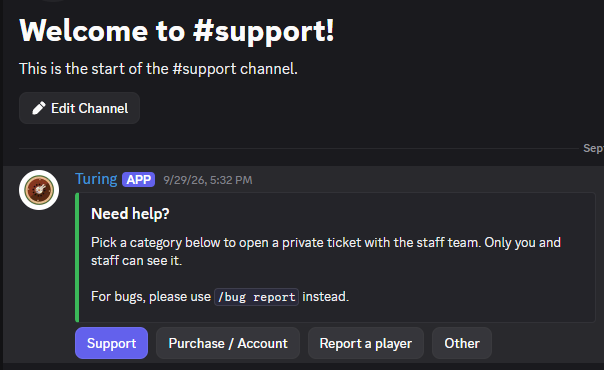
Discord support panel with buttons for Support, Purchase or Account, Report a player, and Other.Open full size

Support ticket panel

A categorized entry point for private support tickets, so members can get their question to the right place.

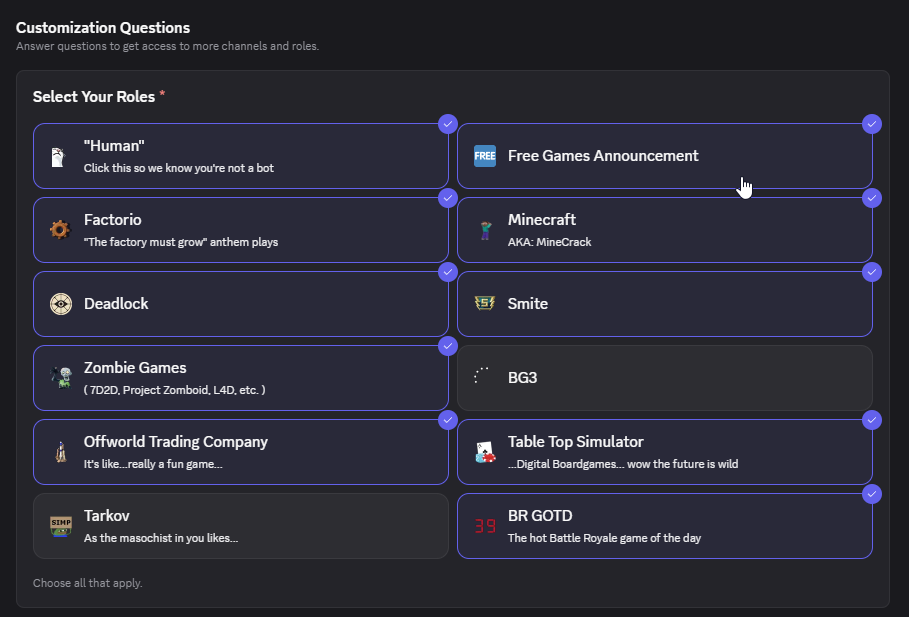
Discord native onboarding screen with selectable community and game-interest roles.Open full size

Onboarding & role selection

Discord native onboarding with self-selected roles. An example of server configuration that can complement your bot and autorole workflow.

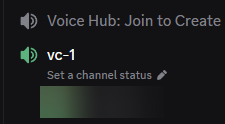
Discord channel list showing a Voice Hub: Join to Create channel and a generated vc-1 voice channel.Open full size

Join-to-create voice hub

A voice hub and a generated channel, giving members a place to gather without a long list of permanent voice rooms.

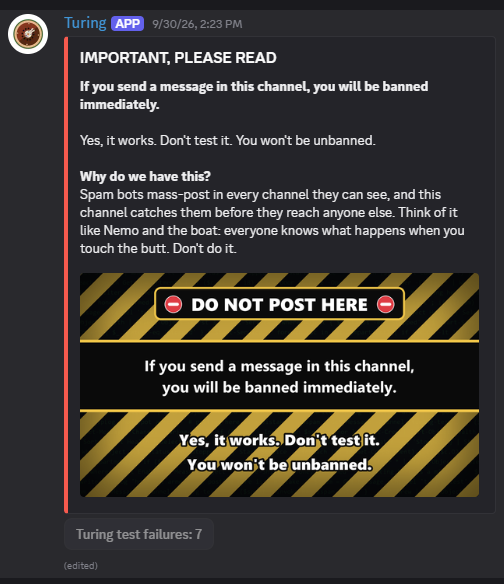
A Discord honeypot channel warning that posting triggers a ban, with a prominent do-not-post banner.Open full size

Honeypot channel warning

A clearly marked trap channel for automated spam. The screenshot shows the warning presented to members; moderation behavior is scoped to your server rules.

Game commands

Look up a game, share a deck, or work out when everyone can play. Keep it in the conversation.

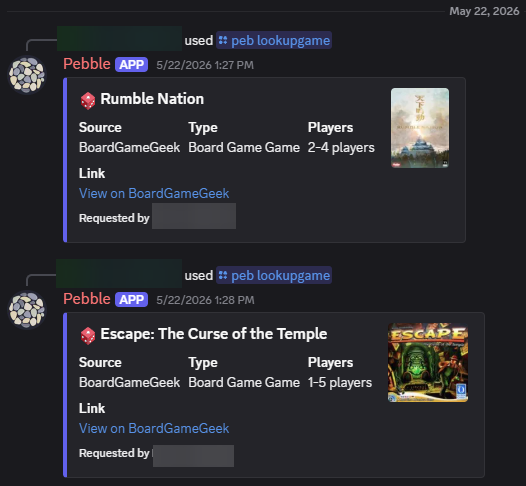
Discord embeds for two board games, each showing its BoardGameGeek source, player count, cover image, and lookup link.Open full size

BoardGameGeek lookup

Board game results with player counts, cover art, and a link to more information on BoardGameGeek.

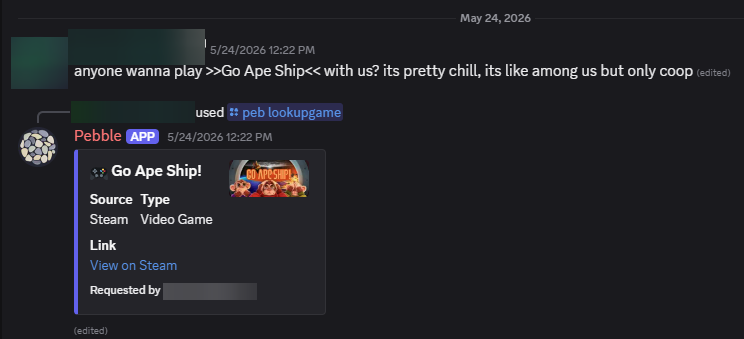
A Discord game lookup result with a game title, Steam source, cover image, and View on Steam link.Open full size

Steam & video game lookup

A game lookup returned directly in chat, with its platform, artwork, and a link to the Steam listing.

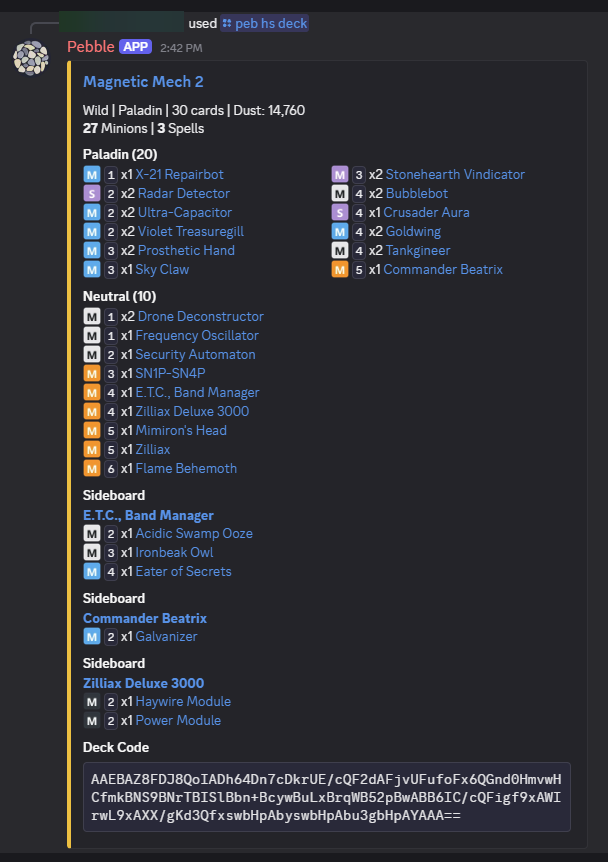
A Hearthstone deck embed listing class, format, cards, mana costs, sideboards, and a shareable deck code.Open full size

Hearthstone deck lookup

A detailed deck view with card lists, sideboards, and a deck code, all displayed inside Discord.

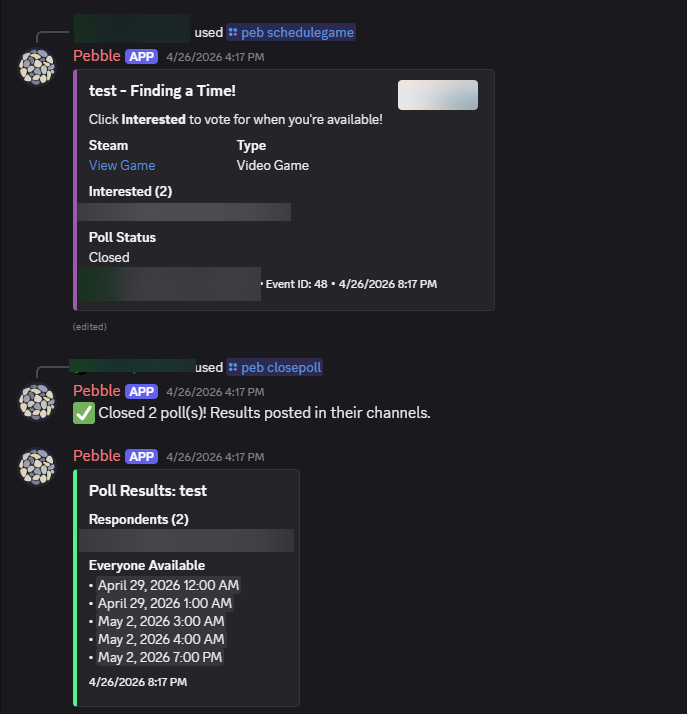
A Discord game scheduling poll followed by results listing times when all respondents are available.Open full size

Game scheduling & availability

Gather interest and availability, then share the times that work for the group when the poll closes.

Custom workflows

Purpose-built systems, each with its own story. Explore the connected views that make up a complete workflow.

Workflow showcase / 3 connected views

Job Application Tracker

One connected job-search system: organize applications on the board, review next steps in the dashboard, and understand progress through pipeline charts.
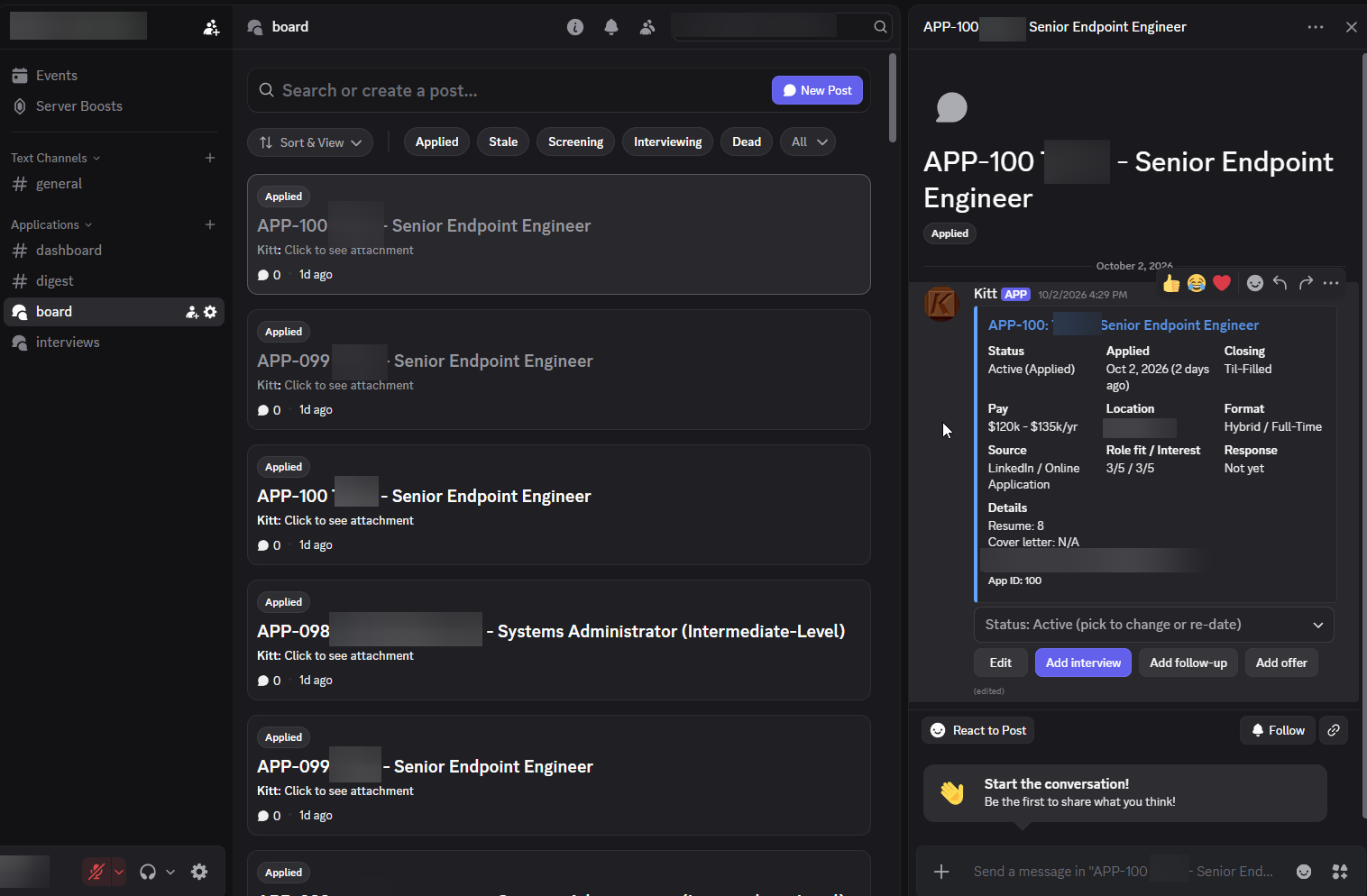
Discord forum board organized by application status beside a job entry with details and interview, follow-up, and offer controls.Open full size
View 01

Job application board

Start with the board: organize applications by status and manage the details, interviews, follow-ups, and offers for each opportunity.
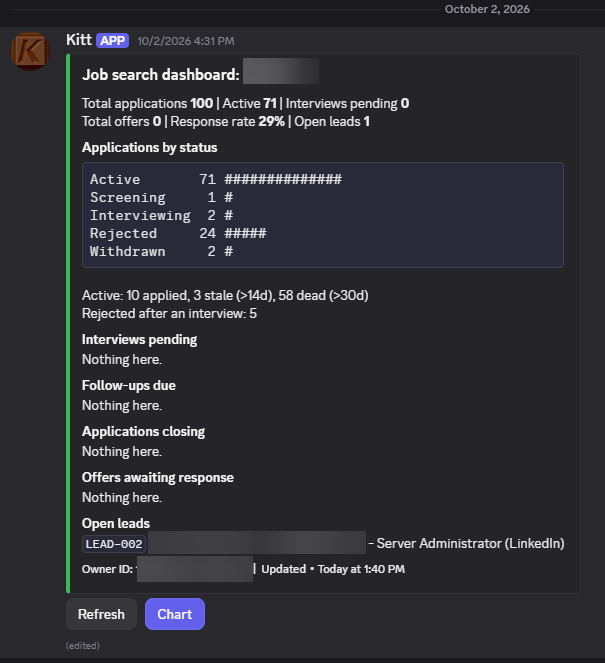
A Discord job-search dashboard with application totals, status counts, pending interviews, follow-ups, open leads, and refresh and chart buttons.Open full size
View 02

Job search dashboard

Review what needs attention: application status, pending interviews, follow-ups, and open leads in one daily overview.
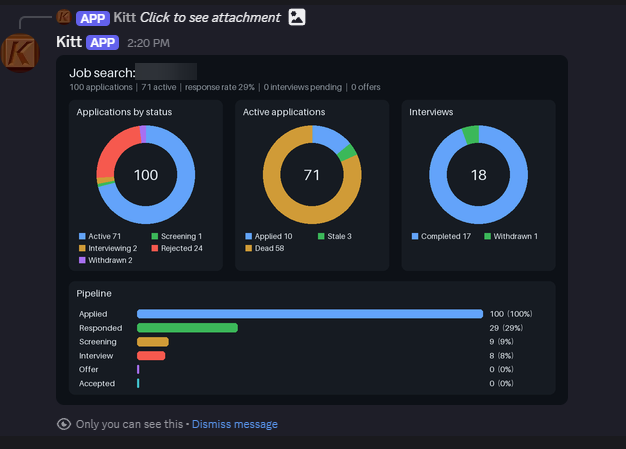
A job-search report with charts for application status, active applications, interviews, and pipeline stages.Open full size
View 03

Application pipeline charts

See the bigger picture: visual reports connect application activity, interviews, and outcomes across the same job search.

Put your idea to work

See something your server could use?

Tell us which example caught your eye and how you would like it to work for your community.

Start your project